Sunday, March 10, 2013

Gmail Account not Deleting Emails

Is your Gmail account not giving you the option to Delete when you slide or even edit and check the message? Does it say Archive?


  • To fix this go to Settings


  • Mail contacts and calendars


  • Select your Gmail account


  • Scroll down and turn off Archive Messages


  • Go to home page

  • Open Mailbox and you should be able to delete now. 

Words of Wisdom 3/10-3/16/13

Sunday 3/10/13

Hard work now means you can relax later! Relaxing now makes for harder work later! No short cuts! Work hard at your goal, get there & enjoy!- @DonnieWahlberg

Monday 3/11/13

Do not fear failure. Do not fear not being your best. Fear not giving your best! Fear the regretful memory of not doing all you could have@DonnieWahlberg

Tuesday 3/12/13

We have been through it all and, through it all, we still have love! That is what makes us great! That is what defines us... !


Wednesday 3/13/13-- Watch Boston's Finest on TNT!!! 

"the principal is competing against yourself. its about self-improvement, about being better than you were the day before"


Thursday 3/14/13

"the principal is competing against yourself. its about self-improvement, about being better than you were the day before"


Friday 3/15/13- Watch Blue Bloods on CBS!!!
Today is what you make of it! You can't control what comes along but you can control how you deal with it! Take it in. Take it on. Carry on.- @DonnieWahlberg


Saturday 3/16/13- 
Today! Sometimes there are no signs. No cryptic messages or symbols. Just a voice inside that says to carry on. TRUST THAT VOICE! It knows@DonnieWahlberg


For my Droid peeps

Seems that with IceCream Sandwhich (os 4.0) you can now delete apps from your Google Play Account:


  • Go to PlayStore
  • Go to My Apps
  • Go to All

You will see a circle with a line through it. This will allow you to delete the apps. Please keep in mind it has to be uninstalled from your phone in order for you to see this icon.


Sorry don't have an Android that I can do screenshots of.

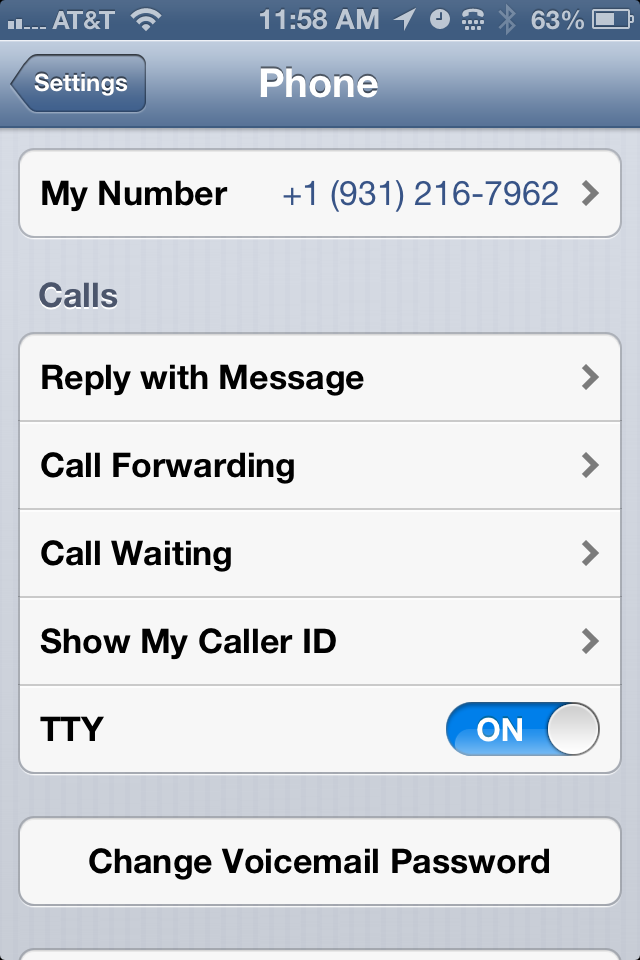
Telephone icon in your top bar?


If you see a Telephone on your phone in the top right hand corner next to your bluetooth symbol that indicates you have turned on TTY. The icon looks like this: 


  • To turn if off go to settings: 


  • Then go to Phone:


  • Turn off TTY:


Monday, March 4, 2013

Finding Your Wifi Password

WITHOUT going into the Router settings


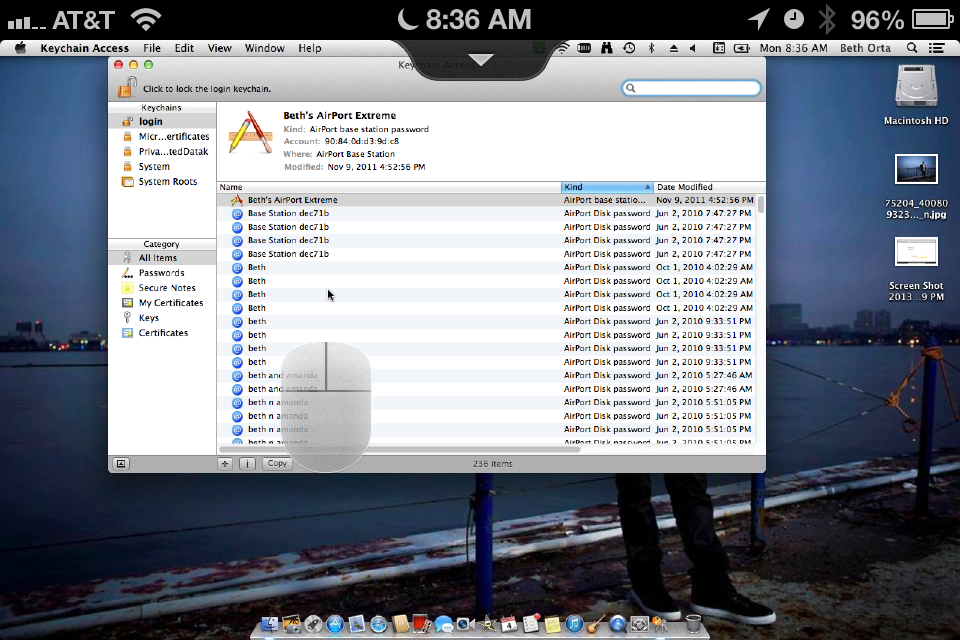
On a Mac you can find your wifi password by using a Utilities application called Keychain:

  • Go to Finder


  • Go to Applications


  • Go to Utilities


  • Open Keychain Access


  • Select or Search for your wifi name


  • Click show password
  • Enter in the Admin/user password for the COMPUTER
  • Password will now show


On Vista, Windows 7 and Windows 8: 

(See http://www.tech-recipes.com/rx/32748/finding-out-your-wifi-password-on-windows/)


These directions should work on both Windows Vista and Windows 7 systems.
1.For this tutorial, I have all of my windows minimized, and the desktop is visible. However, this is not necessary for finding your password.
2.At the bottom right-hand side, you will notice a network icon. Click on it.
3.Right-click your wireless network connection, and select Properties from the drop-down menu.
4.You will notice the Wireless Network Properties window appear. Click Security at the top.
5.Check the “Show characters” box, and your WiFi password should now be visible.


Sunday, March 3, 2013

Google Exchange- No More???

Effective 1/31/13 Google has removed a lot of its sync options for devices. This includes Google Calendar sync, Google Contact sync and exchange. Some iOS devices are still able to set up their Google account as an exchange account and have it work. Other's not so much. 

The official site for Google Exchange is as follows: http://support.google.com/a/users/bin/answer.py?hl=en&answer=138740

The official release for the change in Google Services can be found: http://googleblog.blogspot.ca/2012/12/winter-cleaning.html

So with that being said what are our options?? 

There are two options: 

  • Set up as a Google Account in Mail Contacts and Calendars: 
    • Go to Settings
    • Go to Mail, Contacts and Calendars 


    • Go to Add Account

    • Select Google

    • Enter your account information 

    • Make sure all is turned on and select Done/Save. 

    • Account is added .
    • This will add mail, calendar and notes
  • The Second way is for adding contacts to your phone: 
    • Go to Settings

    • Go to Mail, Contacts and Calendars 

    • Go to Add Account
    • Select Other


    • Select Add CardDav account

    • Enter your information: 
      • Server: google.com
      • UserName: Enter your full email address
      • Select next 

    • Turn Contacts on. Your contacts should now be on your iphone. 

Words of Wisdom 3/3/13-3/9/13

3/3/13

One of the things I learned the hard way was that it doesn't pay to get discouraged. - Lucille Ball

3/4/13

It's the heart afraid of breaking that never learns to dance- Bette Midler

3/5/13
The fastest way to change society is to mobilize the women of the world- Charles Malik

3/6/13
Negative people will always try to drag you down to their level. Love 'em but rise above 'em. - Inspired Woman tweet

3/7/13
Great minds discuss ideas; average minds discuss events; small minds discuss people- Eleanor Roosevelt.

3/8/13
You are GOOD enough, SMART enough, BEAUTIFUL enough, and STRONG enough. Believe it and never let insecurity run your life. - Inspired Woman Tweet
3/9/13

The only people worthy to be in your life are the ones that help you through hard times, and laugh with you after the hard times pass. - Inspired Woman Tweet