Do you have multiple email accounts all with calendars? Are you finding that on your iPhone some move to icloud but not all? Or maybe they are not going to icloud at all?
There are several ways this is happening. The end all reason is that the appointment/event isn't on the calendar you are looking at. It could be that the appointment was saved/created to the default calendar or you could have added it to the wrong calendar.
To see/Change the Default Calendar:
Go to Settings:

Go to Mail, Contacts, Calendar:

Scroll down to Calendar:

Look at Default:

This is the where the events (whether you accepted an invite or you created a new one is saved)
Tap on Default and you will see a list of your calendars you can select which calendar you want all your appointments to default to:

To save a invite (emailed to you) to a specific calendar:

Tap on the attachment:
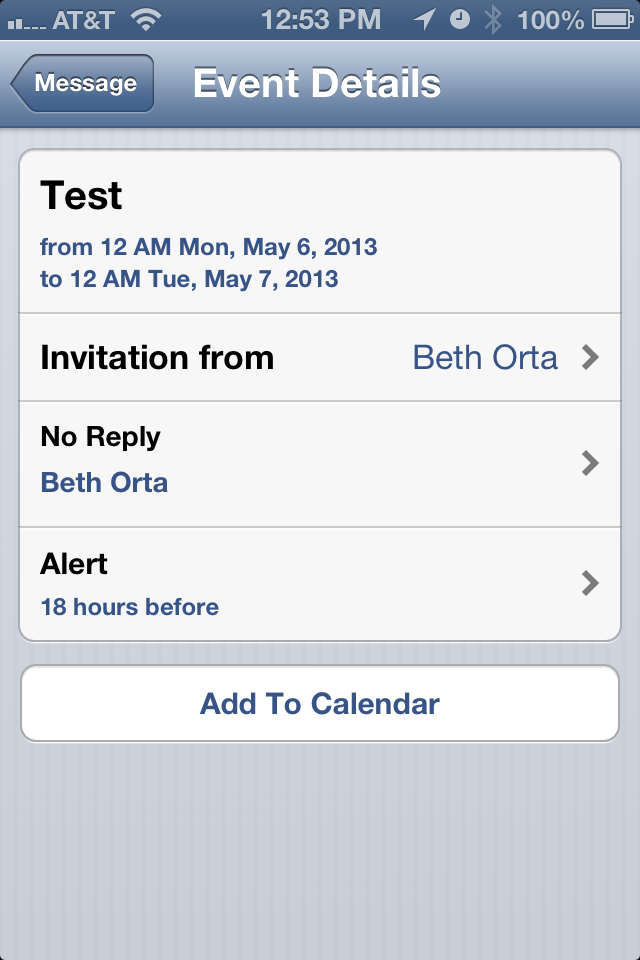
Tap on Add to Calendar:

Select Calendar you want and select Save.
To Change which calendars you see in your Calendar App:
Go to Calendar
Tap Calendars in the top left hand corner:

You can select each calendar you want to view or not view. If there is a check it is visible, if it is not checked then it is not visible:


