Showing posts with label siri tip of the week. Show all posts

Wednesday, July 10, 2013

Siri Tip of the Week- Notes

Siri can help you create notes and update them.


  • Press and hold the home button till siri comes up. 


  • Tell Siri Create Note (insert name of note)


To update the note: 


  • Press and hold Home button till Siri comes up: 

  • Simply state Add (insert the item you want to add to your note) to my (Name of Note) note.

  • Siri will confirm that the change was made. 

Tuesday, June 18, 2013

Siri Tip of the Week 6/18/13

In honor of the New Kids on The Block Concert and After Party that I will be at tonight and my first time meeting Donnie Wahlberg, this week's Siri tip is musically related.

Say you are driving or might be doing something on your iPhone but want to listen to music. Rather than close out of your screen and open up Music and find the song you want to listen to Siri can find it and play it for you!


  • Bring Siri up by pressing and holding the home button: 


  • Tell Siri the song, album, artist or playlist you want to listen to (This doesn't work all that great with iTunes Match I have found) 


  • Siri will search your iPhone and then play your song. 


Tuesday, June 11, 2013

Siri Tip of the Week 06/11/13

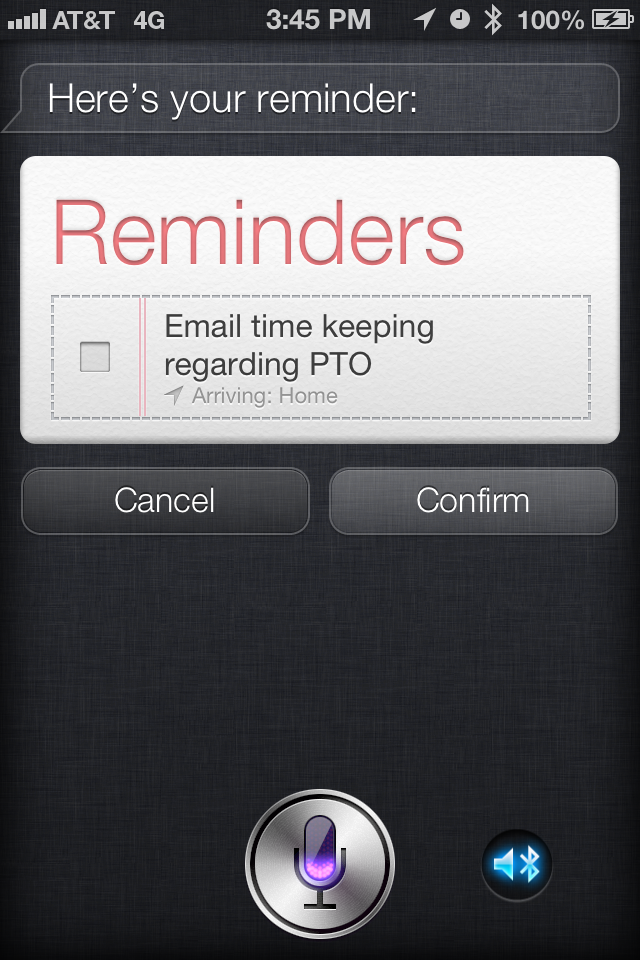
Reminders! Siri can actually set reminders.

The first thing you would need to do is make sure that your location services are turned on for reminders. This is necessary if you are doing something that says remind me when I get home; remind me when I get to work, etc.

  • Go to Settings


  • Go to Privacy


  • Go to Location Services


  • Go to Reminders


  • Turn on Reminders. 


Once you have your location services turned on.

  • Press and hold the home button till Siri comes up and asks you what would you like her to do:


  • Say “Remind me ________ when ______”
  • Siri will then confirm


  • If everything is correct say yes if not say edit


  • Siri will show you the reminder but you can also check in Reminders to see it there.


  • Siri will pop up with a notification to remind you of your appointment.  


Tuesday, June 4, 2013

Siri Tip of the Week 06/02-06/8/13


I thought I would do a Siri Tip of the week to show some of the many things Siri does, the good, the bad and of course the funny and ugly.
Siri can do relationships and nicknames, if you tell her. For example you can have Siri call you whatever you want (Princess, Master, are a few of the common ones).

  • This is fun to do press and hold the home button till Siri comes up.


  • Tell Siri Call me _____.


  • Siri will confirm that you want to be called that and will call you that.
  • You can confirm two ways  by going into your contact card and it will now have what you want her to call you or you can ask Siri “Who Am I” and she will tell you.


  • You can also set this up for friends by going into their Contact card and adding the nickname field and putting in what you call that person.


You can also have her know which contact is your daughter, which is your mom or husband.


You can do this two ways:

The way without Siri:

  • Go to Contacts


  • Select Your Contact (it has to be your name)


  • Click Edit


  • Scroll down to add field: 


  • Select Relationship (if you already had a relationship set up you will see that as you scroll down and it will have an option to add a relationship.)


  • Select the relationship type (this method only allows the ones listed below for other’s like Uncle and Friend you would have to use Siri)


  • Select the contact that fits that relationship.


Siri will now recognize that relationship: 


With Siri:
  • Hold the home button till Siri asks what can she help you with.

  • You can either say text my husband, who is my husband or so and so is my husband (for example)


  • Siri will then ask if you want her to remember this, say yes or tap yes.
  • Siri will then update your contact with the relationships and you can ask her to Call, Text, email, find etc that person.